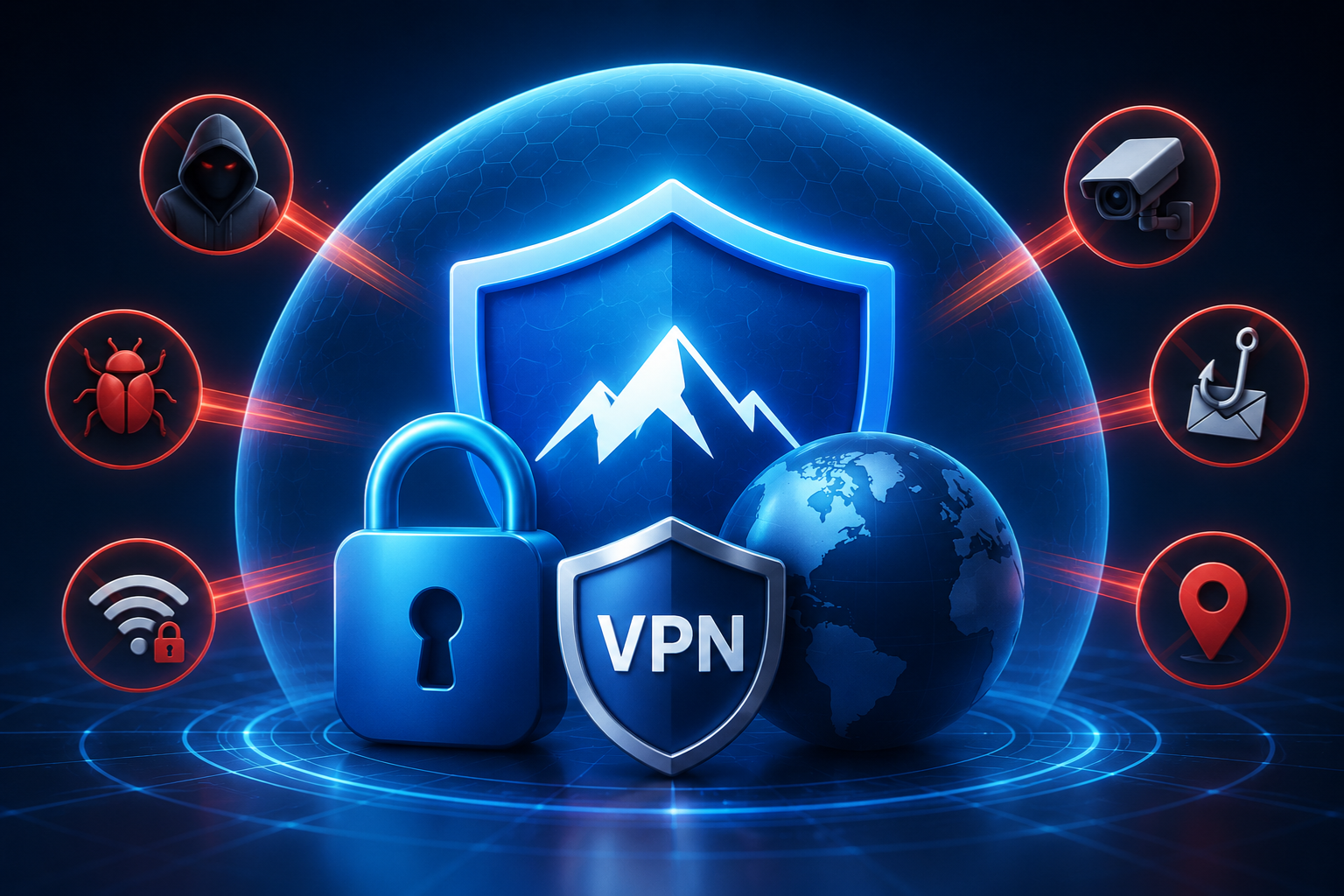
A VPN for anonymous surfing shields your identity online. Discover 7 real threats it blocks and what to look for in a privacy-focused VPN today. Most people assume anonymous surfing means total invisibility — no logs, no trace, complete digital silence. That’s not exactly how it works, and the gap between that assumption and reality is where people get burned. Anonymous surfing, in practical terms, means reducing the identifiable data flowing from your device to websites, advertisers, and your internet service provider. It’s about shrinking your digital footprint, not erasing it entirely.
Your IP address is the most obvious piece of identifying information you broadcast online. Every website you visit logs it. Your ISP tracks which domains you connect to and at what times. Advertisers stitch together behavioral profiles from your activity across dozens of unrelated sites. A VPN for anonymous surfing interrupts those flows by replacing your real IP with a server address and encrypting the traffic between your device and the VPN server. That’s the core mechanism — and it’s genuinely effective when used correctly.
How a VPN Works
A VPN routes your internet traffic through a server operated by the VPN provider before it reaches any website or service. Your real IP address stays hidden from the destination — the site sees the VPN server’s IP instead. If you want to go deeper on how online services handle user data, the search engine positioning guide explains how platforms track and use behavioral signals, which puts VPN protection in useful context.
The encryption layer is what separates a VPN from a simple proxy. With a VPN for anonymous surfing, your ISP can see that you’re connected to a VPN server but cannot read the content of your traffic. That’s a meaningful distinction. Without a VPN, your ISP sees everything — every domain, every query, every connection. With one, they see an encrypted tunnel and nothing more.
The VPN provider itself, however, can see your traffic. This is why the provider’s logging policy matters enormously. A VPN that keeps detailed connection logs is a privacy tool with a significant hole in it. No-log VPNs — those that have been independently audited to confirm they don’t store user activity — are the ones worth trusting for genuine anonymous surfing.
Hidden Danger 1: ISP Tracking
Your internet service provider knows more about your browsing habits than most people realize. Without a VPN for anonymous surfing, your ISP can see every domain you visit, how long you spend there, and when you connect. In many countries, ISPs are legally permitted to sell anonymized versions of this data to advertisers or share it with government agencies on request. The word “anonymized” does a lot of heavy lifting there — research has shown that anonymized browsing data can often be re-identified with surprisingly little effort.
In the United States, a 2017 ruling removed FCC regulations that had prevented ISPs from selling customer browsing data without consent. That change made ISP-level tracking a real commercial reality, not just a theoretical concern. A VPN for anonymous surfing cuts the ISP out of the picture entirely — they see a connection to a VPN server and nothing beyond that encrypted wall.
Hidden Danger 2: Public Wi-Fi Attacks
Public Wi-Fi networks — coffee shops, airports, hotels, libraries — are genuinely risky. Unencrypted networks allow anyone with basic tools to intercept traffic passing through the same network. Man-in-the-middle attacks, where an attacker positions themselves between your device and the router to capture data, are not difficult to execute on open networks. Login credentials, session cookies, and personal information are all potentially exposed.
A VPN for anonymous surfing encrypts your traffic before it leaves your device, which means even if someone intercepts it on a public network, they get encrypted data they can’t read. This is one of the clearest, most concrete use cases for a VPN — the protection is direct and the threat is real. Anyone who regularly works or browses on public Wi-Fi without a VPN is taking a risk that’s easy to eliminate.
The threat isn’t just passive interception either. Fake hotspots — networks set up by attackers to mimic legitimate ones — are a real tactic used in busy public spaces. Connecting to a fake “Airport Free WiFi” network hands your traffic directly to whoever set it up. A VPN for anonymous surfing limits the damage even in that scenario by keeping your traffic encrypted end to end.
Hidden Danger 3: Advertiser Profiling
Digital advertising runs on behavioral data. Every site you visit, every product you look at, every article you read contributes to a profile that ad networks build about you over time. Third-party cookies, tracking pixels, browser fingerprinting, and device identifiers all feed into systems designed to build the most detailed picture of your interests and behavior that advertisers can get.
A VPN for anonymous surfing addresses the IP-based component of this tracking. Advertisers use IP addresses as one signal among many to correlate your activity across sites and sessions. Rotating your IP through a VPN server breaks that correlation — the same person visiting multiple sites no longer looks like the same person to a tracker relying on IP matching.
That said, a VPN isn’t a complete anti-tracking solution on its own. Browser fingerprinting — which uses your browser version, installed fonts, screen resolution, and dozens of other parameters to create a unique identifier — works regardless of your IP address. Pairing a VPN for anonymous surfing with a privacy-focused browser and tracker-blocking extensions gives you meaningfully stronger protection than a VPN alone.
Hidden Danger 4: Government Surveillance
According to the Electronic Frontier Foundation, mass surveillance programs collect internet traffic data at the infrastructure level in multiple countries, often without individual warrants. The scope of these programs, revealed most dramatically by the Snowden disclosures in 2013, includes metadata collection, content interception, and cooperation agreements between intelligence agencies across borders.
A VPN for anonymous surfing provides a meaningful layer of protection against bulk surveillance by encrypting traffic and obscuring its origin. It’s not a perfect shield — a sophisticated state-level actor with resources to spare operates differently from a commercial advertiser — but for most people in most situations, a reputable no-log VPN raises the cost of surveillance substantially.
Jurisdiction matters when it comes to government surveillance and VPNs. A VPN provider based in a country that’s part of the Five Eyes intelligence alliance — the US, UK, Canada, Australia, and New Zealand — operates under legal frameworks that can compel data disclosure. Providers based in countries with stronger privacy laws and outside those alliances are generally preferable for users with serious privacy concerns.
Hidden Danger 5: Data Broker Networks
Data brokers are companies whose entire business model is collecting, compiling, and selling personal information. They pull from public records, social media, purchase histories, and yes — IP-linked browsing data — to build profiles that are sold to marketers, employers, insurance companies, and anyone else willing to pay. Most people have no idea how extensive these profiles are or how many brokers hold their data.
A VPN for anonymous surfing limits the IP-linked behavioral data that flows into these systems. When your browsing activity can’t be consistently tied to a single IP address associated with your household, the data broker’s profile becomes less complete and less accurate. That’s not a complete solution — your name, address, and other information still flow through dozens of other channels — but it removes one significant input.
The combination of a VPN for anonymous surfing with periodic data broker opt-out requests gives you a more complete privacy posture. Several services automate this opt-out process, which is worth looking into if you’re serious about reducing your data footprint beyond just the browsing layer.
Hidden Danger 6: Geo-Restricted Tracking
Some of the most aggressive tracking and data collection practices are hidden behind geo-restrictions — they apply in certain jurisdictions and not others. Privacy regulations like GDPR in Europe give users rights over their data that don’t exist in countries without equivalent laws. A user in a country with weak privacy protections may be subject to tracking and data retention practices that would be illegal in Europe.
A VPN for anonymous surfing lets you route traffic through servers in countries with stronger privacy frameworks, which can change how services handle your data. This isn’t foolproof — many services apply their terms of service based on your account location rather than your apparent IP — but it’s a meaningful tool for users in jurisdictions with limited regulatory protection.
Geo-restrictions also apply in reverse. Some countries actively block VPN traffic or require VPN providers to comply with local data retention laws. If you’re using a VPN for anonymous surfing in a country with those restrictions, provider choice becomes even more important — you need a provider that operates outside that jurisdiction and has the technical infrastructure to resist blocking.
Hidden Danger 7: Unsecured DNS Leaks
DNS leaks are one of the most common ways a VPN for anonymous surfing fails without the user knowing it. DNS — Domain Name System — is the process that translates domain names into IP addresses. Normally, your DNS requests go through your ISP’s servers, which means your ISP can see every domain you look up even if the content of your traffic is encrypted.
A VPN should route your DNS requests through its own servers, keeping them inside the encrypted tunnel. But misconfigured VPNs or certain operating system behaviors can cause DNS requests to leak outside the VPN tunnel, going directly to your ISP’s DNS servers instead. The result is that your ISP can see your browsing domains even though you think you’re protected.
Testing for DNS leaks is straightforward — several free tools let you check whether your DNS requests are staying inside your VPN tunnel. Any reputable VPN for anonymous surfing should offer built-in DNS leak protection, and you should verify it’s working rather than assuming. A VPN that leaks DNS is giving you false confidence, which is arguably worse than no VPN at all.
What to Look for in VPNs
Not all VPNs are built for genuine privacy. Free VPNs are particularly problematic — the economics of running VPN infrastructure are real, and a free service has to fund itself somehow. In many cases, that means logging and selling user data, which is exactly what you’re trying to avoid. A free VPN for anonymous surfing is often a contradiction in terms.
Paid VPNs worth considering have a few things in common: a verified no-log policy backed by independent audits, a kill switch that cuts your internet connection if the VPN drops unexpectedly, DNS leak protection, and a jurisdiction outside aggressive surveillance alliances. Providers like Mullvad, ProtonVPN, and ExpressVPN have been independently audited and have strong reputations in the privacy community.
Server network size matters for usability — more servers in more locations means better speeds and more options for bypassing geo-restrictions. But don’t let server count distract you from the fundamentals. A smaller network with verified no-log practices is better for anonymous surfing than a massive network with opaque privacy policies.
VPN Protocols That Matter
The protocol a VPN uses determines how your traffic is encrypted and transmitted. OpenVPN has been the industry standard for years — it’s open source, well-audited, and reliable. WireGuard is newer, faster, and increasingly preferred for its cleaner codebase and better performance on mobile connections. Both are solid choices for a VPN for anonymous surfing.
Avoid VPNs that default to PPTP — it’s an older protocol with known security vulnerabilities that shouldn’t be used for privacy-sensitive applications. L2TP/IPSec is acceptable but not ideal. The protocol matters because it determines what an attacker would need to break your encryption, and older protocols have documented weaknesses that well-resourced attackers can exploit.
Most reputable VPN apps let you choose your protocol manually or select an automatic mode that picks the best option for your connection. For most users, WireGuard on a no-log VPN for anonymous surfing hits the right balance of speed and security. If you’re in a country that blocks VPN traffic, look for a provider that offers obfuscation — technology that disguises VPN traffic as regular HTTPS traffic.
Mobile VPN Considerations
Mobile browsing now accounts for more than half of global internet traffic, and the privacy risks on mobile are distinct from desktop. Apps can access your location, contacts, and device identifiers in ways that browsers can’t. A VPN for anonymous surfing on mobile protects your network traffic, but it doesn’t prevent apps from accessing on-device data through their own channels.
That said, mobile VPN protection is still meaningful. It encrypts your traffic on public Wi-Fi, hides your browsing from your mobile carrier, and masks your IP from websites and services. Most major VPN providers offer mobile apps for both iOS and Android that are straightforward to set up and run reliably in the background.
Battery and data usage are real considerations on mobile. WireGuard is significantly more efficient than OpenVPN on mobile connections, which is part of why it’s become the preferred protocol for mobile VPN use. Running a VPN for anonymous surfing continuously on mobile has become practical with modern protocols in a way it wasn’t a few years ago.
Limitations You Should Know
A VPN for anonymous surfing is not a complete anonymity solution. It protects your IP and encrypts your traffic, but it doesn’t make you anonymous in the full sense. If you’re logged into Google, Facebook, or any other account while using a VPN, those platforms still know who you are — they’re identifying you by your account, not your IP.
Browser fingerprinting works independently of your IP address. Your browser configuration creates a unique signature that can track you across sessions even when your IP changes. Cookie tracking, local storage, and supercookies can all persist across VPN sessions. For users with serious anonymity needs, a VPN is one layer in a stack that also includes privacy browsers, fingerprint-resistant settings, and careful account hygiene.
The VPN provider is also a point of trust. You’re shifting your trust from your ISP to the VPN company. If the VPN company has poor security practices, cooperates with surveillance agencies, or doesn’t actually enforce its no-log policy, you haven’t gained much. Research your provider, read independent audits, and choose one with a track record of resisting data requests rather than complying silently.
Setting Up Your VPN Right
Installing a VPN app and connecting to a server is the easy part. Configuring it correctly for genuine anonymous surfing takes a few extra steps. First, enable the kill switch — this cuts your internet if the VPN connection drops, preventing your real IP from being exposed during reconnection. Most good VPN apps have this feature; make sure it’s turned on.
Test for DNS leaks after connecting. Use a tool like dnsleaktest.com to confirm your DNS requests are routing through the VPN and not leaking to your ISP. This takes two minutes and tells you whether your VPN for anonymous surfing is actually working as intended. Don’t skip this step — DNS leaks are common and easy to miss.
Choose your server location deliberately. Connecting to a server in a privacy-friendly jurisdiction adds a layer of legal protection on top of the technical protection. Some users rotate server locations regularly to prevent any single server from accumulating too much connection data. It’s a small habit that adds up over time.
FAQ: VPN for Anonymous Surfing
Q: Does a VPN for anonymous surfing make me completely anonymous online?
No. A VPN for anonymous surfing hides your IP address and encrypts your traffic, but it doesn’t make you fully anonymous. If you’re logged into accounts, your identity is still known to those platforms. Browser fingerprinting can also track you independently of your IP. A VPN is a strong privacy tool, not a complete anonymity guarantee.
Q: Are free VPNs safe to use for anonymous surfing?
Most free VPNs are not safe for serious privacy use. They need to fund their infrastructure somehow, and many do it by logging and selling user data — the opposite of what you want. Some free VPNs have been caught injecting ads into traffic or selling browsing data to third parties. Stick with paid, audited providers for genuine anonymous surfing.
Q: Will a VPN slow down my internet connection?
Some slowdown is normal because your traffic is being routed through an additional server and encrypted. With a modern protocol like WireGuard and a server geographically close to your location, the slowdown is often barely noticeable — typically under 10–15% on a fast connection. Older protocols on distant servers can be more noticeably slow.
Q: Is using a VPN for anonymous surfing legal?
In most countries, yes — using a VPN is completely legal. Some countries with authoritarian governments restrict or ban VPN use, including China, Russia, and Iran. In those contexts, using a VPN may violate local law even if what you’re doing with it is otherwise legal. Always check the legal status in your specific country before relying on a VPN there.
Conclusion
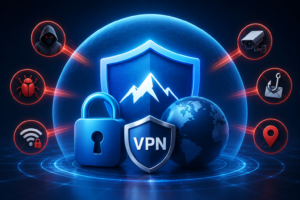
A VPN for anonymous surfing is one of the most practical privacy tools available — genuinely useful, widely accessible, and effective against a real set of threats. The seven dangers covered in this article — ISP tracking, public Wi-Fi attacks, advertiser profiling, government surveillance, data broker networks, geo-restricted tracking, and DNS leaks — are all meaningfully reduced by a well-configured, no-log VPN from a reputable provider.
The honest caveat is that a VPN for anonymous surfing is not magic. It’s a layer of protection, not a complete solution. Used alongside a privacy browser, good account hygiene, and tracker-blocking tools, a VPN becomes part of a genuinely strong privacy setup. Used in isolation while staying logged into every major platform, it gives you partial protection and a false sense of security.
Pick a paid, audited provider. Enable the kill switch. Test for DNS leaks. Use WireGuard where available. Be realistic about what a VPN for anonymous surfing can and cannot do. That combination — good tools plus realistic expectations — is what actual online privacy looks like in practice. The threats are real, the tools work, and a VPN for anonymous surfing remains one of the most cost-effective privacy investments most internet users can make today.