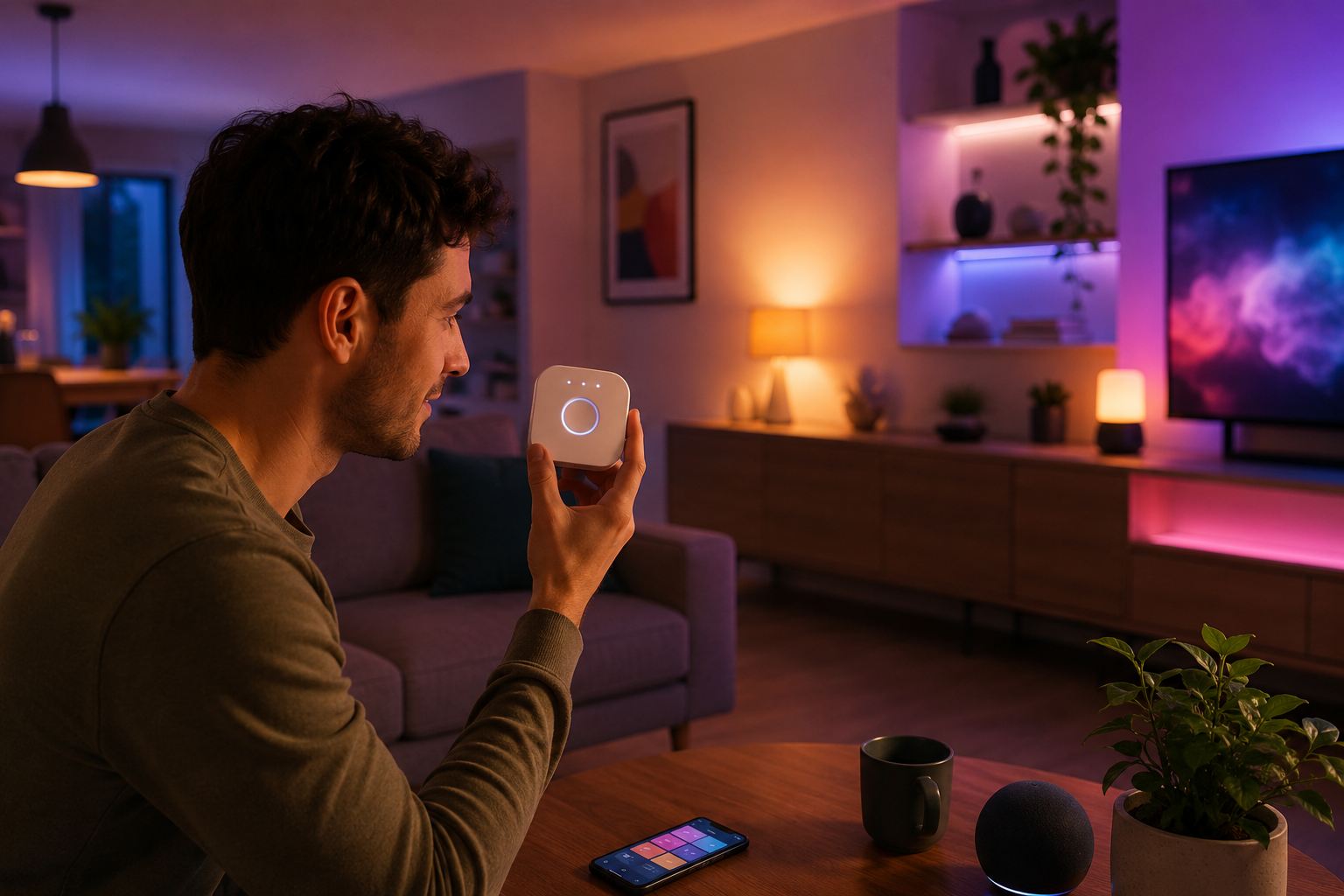
See how the Philips Hue Bridge turns ordinary bulbs into a fully automated smart lighting system with voice control, scheduling, and seamless app integration.
The Philips Hue Bridge sat in its box for two weeks before I finally plugged it in. I kept telling myself I would get to it on the weekend. When I finally did, I felt genuinely stupid for waiting. Within 72 hours, my entire home lighting setup had changed in ways I did not expect — not just convenient, but actually useful in daily life.
The philips hue bridge is one of those devices that sounds like a luxury until you use it, and then it becomes something you wonder how you lived without. This article breaks down what it actually does, how to get the most out of it, and why so many smart home users consider it the single best purchase they have made.
What the Bridge Actually Does
Most people think the Philips Hue Bridge is just a Wi-Fi connector for smart bulbs. That is not quite right. The bridge uses Zigbee, a dedicated low-power mesh protocol designed specifically for smart home devices. It sits between your router and your bulbs, acting as a translator and command processor. Your phone talks to the bridge, and the bridge talks to the bulbs — and it does that job extremely well.
The reason this matters is latency and reliability. Wi-Fi-based smart bulbs depend on your router staying healthy, your internet staying live, and cloud servers responding quickly. The philips hue bridge processes most commands locally, which means your lights respond in under a second regardless of what your internet connection is doing. For anyone who has experienced the frustration of a smart bulb freezing mid-command, that local processing capability is a significant improvement. If you want to see how modern home technology is reshaping everyday living, smart lighting hubs like this are a good place to start.
The bridge also serves as the memory center for your entire lighting setup. Scenes, schedules, automations, room groupings — all of it lives on the bridge. If you delete and reinstall the Hue app, your entire setup is still there because the configuration is stored on the device itself, not just in the cloud. That kind of data resilience is rare in consumer smart home products.
Setting It Up Right
Setup takes about 10 minutes if you do not rush it. You plug the philips hue bridge into your router using the included Ethernet cable, download the Hue app, press the button on top of the bridge, and the app finds it automatically. From there, you add bulbs one by one by turning them on and letting the app scan for them. The process is smooth and almost entirely visual — no configuration pages, no port forwarding, no technical headaches.
The one thing worth doing before you start adding bulbs is to organize your rooms in the app first. Decide what you want to call each space — bedroom, kitchen, study, living room — and create those rooms before you start pairing bulbs. It makes the organizational step much easier than trying to sort a list of 15 unnamed bulbs after the fact. The philips hue bridge handles up to 50 lights, so if you are planning a large setup, building the structure first saves real time.
Position matters slightly for the bridge itself. Keep it close to your router and in a central location in your home if possible. The Zigbee mesh extends itself through every bulb, but the bridge needs a solid Ethernet connection to function properly. A loose cable or a router port that cuts out intermittently will cause issues that look like bulb problems but are actually bridge connectivity problems. Check the cable first whenever something seems off.
Philips Hue Bridge App Control
The Hue app is the primary interface for the philips hue bridge, and it is genuinely well built. The home screen shows all your rooms with quick toggle controls. Tap a room to expand it, and you get brightness sliders, color temperature controls, and access to your saved scenes. The layout is logical, and after a few days of use it becomes second nature.
Scenes are the most-used feature for most people. The app ships with around 40 pre-built scenes covering activities like reading, relaxing, concentrating, and sleeping. Each scene sets a specific brightness and color temperature tuned for that purpose. The philips hue bridge stores these scenes locally, so triggering them is instant. You can also save your own scenes — find a lighting combination you like, tap the save button, and it is there permanently in your scene library.
The app also has a Routines section where you can build automations from scratch. You can set lights to come on gradually 30 minutes before your alarm, turn off automatically at midnight, or shift to warmer tones at sunset. These routines run on the bridge itself, not in the cloud, which means they work even during internet outages. That offline capability is one of the strongest practical arguments for choosing philips hue bridge over simpler Wi-Fi bulb systems.
Voice Control That Works
Voice control through the philips hue bridge connects with Amazon Alexa, Google Assistant, and Apple HomeKit. You link the Hue skill or service in your preferred assistant app, and within a few minutes your rooms and scenes appear as controllable devices. The setup for each platform takes about 3 minutes and requires no technical knowledge beyond knowing your Hue account login.
Once linked, the commands feel natural. You can say things like “dim the bedroom to 30 percent” or “set the kitchen to Energize” and the response is immediate. The philips hue bridge handles the command processing locally after receiving the trigger from the voice assistant, which keeps response times fast. Alexa and Google both support room-level control, so you do not have to address individual bulbs by name unless you want to.
Apple HomeKit support is particularly well implemented. Through HomeKit, the philips hue bridge appears as a single accessory that exposes all your rooms and bulbs to the Home app. Siri commands work reliably, and you can use HomeKit automations alongside native Hue routines for more complex setups. For households that use a mix of Apple devices, this integration makes the Hue system feel like a natural extension of the Apple ecosystem rather than a separate product to manage.
Zigbee Mesh and Range
The Zigbee mesh network that the philips hue bridge manages is one of its most underappreciated features. Every Hue bulb in your home is also a Zigbee repeater. This means each bulb you add extends the range and strength of your mesh network. In a home with 20 bulbs installed, the Zigbee coverage is effectively wall-to-wall regardless of where the bridge sits.
This mesh behavior solves a problem that affects nearly every Wi-Fi-based smart home product — dead zones. If your router does not reach the corner of your garage or the back bedroom, Wi-Fi bulbs in those spots will be unreliable. With the philips hue bridge, bulbs closer to the bridge relay commands to bulbs further away. The signal hops through the mesh until it reaches the intended bulb, and the whole process is invisible to the user. You just see a bulb that responds.
Range testing in real homes consistently shows Zigbee mesh outperforming single-point Wi-Fi for lighting control. A Hue setup with 15 or more bulbs across two floors will have essentially no connectivity gaps under normal conditions. The philips hue bridge manages all of this mesh routing automatically — you never configure it manually. It just works, and that kind of reliability is what separates mature smart home platforms from early-generation products that required constant troubleshooting.
Entertainment Sync Feature
The Hue Sync feature works through the philips hue bridge to match your room lighting with on-screen content in real time. Using the Hue Sync desktop app, your lights react to colors and movement in movies, games, and music with latency under 50 milliseconds. According to Philips Hue’s official support pages, the entertainment sync runs as a high-priority direct connection to the bridge that bypasses normal command queuing for faster response.
For gaming, this feature creates an immersive bubble of light around your screen. A nighttime scene in a game fills the room with deep blue tones. An explosion shifts everything to warm orange for a fraction of a second. The philips hue bridge processes these color transitions fast enough that they feel synchronized rather than delayed. It is the kind of feature that sounds gimmicky until you actually use it for a 2-hour movie session and notice that turning it off makes the room feel flat by comparison.
The Hue Play HDMI Sync Box extends this to your TV without needing a PC. You plug your HDMI sources into the box, it analyzes the video signal, and sends lighting commands to the philips hue bridge automatically. The box supports up to 4 HDMI inputs and works with any Hue lights positioned behind or beside your television. Setup takes about 15 minutes and the result is a fully synchronized entertainment lighting environment controlled entirely through the Hue ecosystem.
Philips Hue Bridge Third Party Support
Third-party integration is one of the strongest selling points for the philips hue bridge. Beyond the major voice assistants, Hue integrates with Samsung SmartThings, Home Assistant, IFTTT, and hundreds of developer-built apps through the open Hue API. This is a platform that has been supported and extended by the developer community for over 10 years.
Home Assistant integration gives advanced users granular control that the official Hue app simply does not offer. You can write automations that combine Hue lighting with door sensors, temperature readings, calendar events, or anything else connected to your smart home. The philips hue bridge appears as a fully supported integration in Home Assistant with no hacks or workarounds required — it is an official, maintained component. For users who want to build complex conditional automations, this is where the real power of the Hue ecosystem becomes apparent.
IFTTT connections open up creative use cases. You can set your lights to pulse green when a package is delivered, flash yellow when your team scores, or shift to a calm blue tone when a calendar event labeled “focus time” starts. The philips hue bridge handles all the light-side execution while IFTTT manages the trigger logic from external services. These integrations are free to set up and require no coding knowledge, which makes them accessible to anyone willing to spend 20 minutes experimenting.
Running Multiple Bridges
A single philips hue bridge supports 50 lights and 12 accessories. For large homes or properties with extensive outdoor lighting, that ceiling can be reached. Philips supports running multiple bridges under one Hue account, and the app manages them together from a single interface without any visible seam between them.
When you have two bridges active, the app routes commands to the correct bridge based on which room or zone you are controlling. You do not need to manually switch between them. Each bridge maintains independent local processing, which means if one bridge loses power or goes offline, the lights on the other bridge continue working normally. That redundancy is worth considering for large-scale installations where lighting reliability matters.
Some users run separate bridges for indoor and outdoor systems even if their total bulb count does not require it. The separation keeps the two systems organizationally clean and makes troubleshooting easier — if something goes wrong with outdoor lighting, the outdoor bridge is clearly the place to look. The philips hue bridge is priced at around $60, so running two for organizational purposes is a reasonable choice if your setup justifies it.
Philips Hue Bridge Security
Network security is a fair concern whenever you add a connected device to your home. The philips hue bridge communicates with Philips servers through an encrypted HTTPS connection for remote access. Local commands never touch the cloud at all. Firmware updates push automatically from Philips, so security patches apply without any user action required.
The Zigbee protocol adds a layer of isolation by operating on its own mesh network completely separate from your main Wi-Fi. Even if someone compromised your router, accessing the Zigbee network requires Zigbee hardware — a much higher barrier than attacking a standard Wi-Fi device. The philips hue bridge has maintained a clean security record since its launch, with Philips responding quickly to any disclosed vulnerabilities through coordinated firmware updates.
One practical security tip: give the philips hue bridge a strong, unique password for your Hue account rather than reusing a password from another service. Remote access to your lights through the Hue app is account-authenticated, so your account security directly affects your bridge security. Two-factor authentication is available on Hue accounts and takes about 2 minutes to enable in account settings.
Energy Savings From Automation
The philips hue bridge enables the kind of automation that actually reduces electricity consumption over time. Scheduled lighting that turns off automatically when you leave a room, dimming routines that reduce brightness in the evening, and motion-triggered lights that only activate when someone is present all contribute to lower energy bills without requiring any conscious effort after the initial setup.
Research on smart lighting adoption suggests households with automated scheduling reduce lighting energy use by 20 to 35 percent compared to manual switching habits. The philips hue bridge makes this automation accessible and reliable enough that it actually runs consistently rather than being a feature you set once and then forget to maintain. Schedules update automatically for daylight saving time, and sunrise-sunset triggers adjust daily based on your location data.
Hue LED bulbs paired with the philips hue bridge are also significantly more efficient than the incandescent or halogen bulbs they replace. A Hue white bulb uses about 9 watts compared to the 60-watt incandescent equivalent it replaces. Across a whole house running 20 bulbs, that difference in base consumption is substantial before you even factor in the automation savings. The bridge enables you to manage and optimize that efficiency through centralized control.
Philips Hue Bridge Outdoor Use
The philips hue bridge manages outdoor Hue products just as effectively as indoor ones. Outdoor Hue fixtures — pathway lights, wall lights, Lily spot fixtures, and the Calla line — all connect to the same bridge and appear alongside your indoor rooms in the app. You can create an outdoor zone, set it on its own schedule, and control it independently from interior lighting.
Motion sensor integration is particularly useful outdoors. The philips hue bridge can be configured to trigger outdoor lights at full brightness only when motion is detected, then dim to 20 percent after 3 minutes of no motion, and switch off entirely at sunrise. This kind of layered behavior keeps your outdoor spaces lit when they need to be without burning full power all night. Outdoor Hue sensors are weather-resistant and designed to work reliably through temperature extremes.
Color outdoor lighting is one of the more satisfying seasonal uses for the philips hue bridge. Setting pathway lights to warm amber for autumn evenings, cool white for a clean modern look in summer, or red and green for holiday periods requires nothing more than opening the Hue app and changing a scene. The philips hue bridge stores those seasonal scenes permanently, so you can switch the entire outdoor setup in a single tap when the mood or season changes.
Matter Protocol Compatibility
Matter is the new universal smart home protocol backed by Apple, Google, Amazon, and Samsung. Philips pushed a firmware update that added Matter support to the current philips hue bridge, which is a significant development for anyone thinking long-term about their smart home investments. With Matter enabled, Hue devices can join any Matter-compatible platform directly without requiring separate integrations or skill installations.
The practical impact of Matter support is that you are no longer locked into the Hue ecosystem for control. You can add Hue lights to Apple Home, Google Home, or Amazon Alexa using the Matter standard, and they behave like native devices within each platform. The philips hue bridge remains the Zigbee hub for the physical lights, but the control layer becomes universal. That flexibility future-proofs your investment considerably.
Matter support also simplifies multi-platform households. If one person in your home uses Siri and another uses Google Assistant, both can control the same philips hue bridge setup natively through their preferred platform without any workaround. The ecosystem wars that used to make smart home purchasing decisions complicated are becoming less relevant as Matter adoption grows across the industry.
Troubleshooting Common Issues
The most common philips hue bridge problem is a bulb that stops responding. This almost always traces back to a wall switch being turned off, which cuts power to the bulb and drops it from the Zigbee mesh. The standard fix is to always leave physical switches on and use Hue dimmer switches or the app for all lighting control. Once the habit is established, this issue essentially disappears.
If the philips hue bridge itself goes offline, the fastest fix is unplugging it for 10 seconds and plugging it back in. The bridge restores its full configuration automatically within about 30 seconds of restarting and reconnects to all paired bulbs without any manual steps. Persistent offline issues usually point to the Ethernet cable or the router port — swap the cable first before assuming the bridge has a hardware problem.
Bulbs that repeatedly drop from the mesh despite staying powered usually indicate a weak Zigbee signal in that corner of your home. Adding one Hue bulb in a location between the struggling device and the nearest solid connection point almost always resolves the issue by strengthening the mesh path. The philips hue bridge reroutes mesh connections automatically, so within a few minutes of adding the intermediary bulb the dropped device reconnects on its own.
Philips Hue Bridge Buying Tips
The philips hue bridge retails for approximately $60 as a standalone device. Starter kits bundle the bridge with two or four bulbs at a discount compared to buying individually — typically $100 for a two-bulb white kit and around $200 for a color kit with four bulbs. For new buyers, the starter kit is almost always better value and gets you up and running without any additional purchases.
Always buy the current square-shaped bridge rather than the older round model. The round bridge does not support Matter and has limited firmware update support going forward. The square model is the only version currently in active production and is what you will find at major retailers including Amazon, Best Buy, and the official Philips Hue website. Pricing is consistent across channels, though Amazon occasionally runs bundle discounts that include Hue accessories.
Check whether your home already has smart bulbs from another brand before committing to Hue. The philips hue bridge uses the Zigbee protocol, which is theoretically compatible with other Zigbee devices, but Philips does not guarantee or support third-party Zigbee bulbs on the Hue bridge. If you have a mixed ecosystem, a universal Zigbee hub like the Aeotec SmartThings Hub might be a better center point, with the philips hue bridge handling only Hue devices within a larger setup.
Philips Hue Bridge Worth It
After living with the philips hue bridge for an extended period, the honest answer to whether it is worth it is straightforward — yes, if you use more than 3 Hue bulbs and want the system to actually be smart. The $60 cost is a one-time purchase that unlocks the full capability of every Hue bulb you buy now or in the future. Treating it as an optional accessory is one of the most common mistakes new Hue buyers make.
The philips hue bridge pays for itself in convenience, energy savings, and system reliability within the first few months of regular use. Automations that run without any intervention, voice commands that work reliably, scenes that set the mood for any activity without adjusting multiple individual bulbs — these are not flashy features you demo once. They are things you use every single day without thinking about them. That is the mark of technology that has actually matured.
If you are starting a smart home from scratch or looking for the one upgrade that will have the most visible impact on your daily experience, the philips hue bridge is where that argument starts and mostly ends. It is not the cheapest entry point into smart lighting, but it is one of the few smart home purchases that consistently delivers exactly what it promises.
FAQ
Q: Does the Philips Hue Bridge work without internet?
Yes. The philips hue bridge processes most commands locally on the device itself. Schedules, routines, and in-home app control all work during internet outages. Remote access from outside your home and voice assistant commands do require an internet connection, but your core lighting automation keeps running regardless.
Q: How many devices can connect to one Philips Hue Bridge?
A single philips hue bridge supports up to 50 Hue lights and 12 accessories like motion sensors and dimmer switches. For most homes this is more than enough. If your setup grows beyond these limits, Philips supports running a second bridge under the same account managed from the same app.
Q: Can I use the Philips Hue Bridge with non-Hue bulbs?
The philips hue bridge uses Zigbee protocol, which is a universal standard, but Philips officially supports only Hue-branded products on its bridge. Some third-party Zigbee bulbs can be added through workarounds, but they may not work reliably and Philips does not provide support for those configurations.
Q: Is the Philips Hue Bridge a one-time purchase?
Yes. The philips hue bridge is a hardware device with no subscription fees. You pay once and get full functionality including app control, voice assistant integration, automation scheduling, and firmware updates at no ongoing cost. The Hue app itself is free to download and use with no premium tier required for core features.
Conclusion
The Philips Hue Bridge is not a nice-to-have addition to your smart lighting setup. It is the foundation the entire system depends on. Without it, you have app-controlled bulbs. With it, you have a genuinely intelligent lighting environment that automates itself, responds to voice, syncs with entertainment, connects with every major smart home platform, and keeps improving through regular firmware updates.
The philips hue bridge handles all of this reliably because it processes most commands locally rather than depending on cloud servers to stay responsive. My own experience confirmed what most long-term Hue users report — the difference the bridge makes is immediate and significant.
The philips hue bridge supports up to 50 lights, integrates with Matter for future compatibility, manages outdoor and indoor zones from a single app, and costs around $60. For anyone serious about building a smart home that actually works the way smart homes are supposed to work, starting with the philips hue bridge is not just a good idea. It is the only logical starting point.