

Meta Description:
Master software testing basics that ruthless developers swear by — from unit testing to integration testing — and stop shipping embarrassing bugs that destroy user trust and damage your professional reputation forever.
Every developer has shipped a bug they regret.
You know the feeling. Something goes live. Everything looks fine for about twenty minutes. Then the messages start arriving.
Users cannot complete a basic action. A calculation is wrong in a way that should have been obvious from day one. A feature that worked perfectly in development is broken in production in a way that makes no sense until it suddenly makes complete sense—and you realize you never actually tested that specific scenario.
That sinking feeling is what software testing basics exist to prevent. Not eliminate completely — bugs happen to everyone — but stop the embarrassing, avoidable, obvious ones that make other developers look at your code and quietly wonder how it shipped.
Why Most Developers Skip Testing
Honest version. Testing feels like it slows things down. Features get noticed. Tests get skipped when deadlines arrive and something has to give.
That calculation is wrong almost every single time it gets made. The time saved skipping tests comes back with interest when bugs hit production, when debugging takes three times longer than writing tests would have, and when the codebase grows into something too fragile to touch without breaking something else.
What skipping software testing basics actually costs:
- Debugging sessions that outlast the original development time
- User trust that takes months to rebuild after visible failures
- Technical debt compounding with every untested addition
- Code that cannot be refactored without fear
- Production incidents arriving at the worst possible moments
What Software Testing Actually Is
Software testing basics start with understanding what testing is actually trying to accomplish — not treating it as a bureaucratic checkbox that exists to slow development down.
Testing is verification. It answers whether code does what it is supposed to do — not in the developer’s head, not in one specific manual scenario, but reliably and repeatably across conditions that may not have been considered when the code was first written.
The core questions software testing answers:
- Does this function produce correct output for valid inputs
- Does this function handle invalid inputs without breaking
- Does this component work correctly when connected to others
- Does the application behave correctly from the user’s perspective
- Does new code break anything that was already working
Software testing basics are how those questions get answered systematically rather than hopefully.
The Testing Pyramid Every Developer Needs

Before diving into specific types the testing pyramid is the mental model that makes software testing basics coherent. Without it testing feels like a disconnected list of techniques with no organizing principle.
The pyramid has three layers. Unit tests sit at the bottom — many of them are fast and cheap to write. Integration tests go in the middle — fewer, testing how components connect. End-to-end tests sit at the top — the fewest, testing complete user workflows from start to finish.
The pyramid broken down:
| Layer | How Many | Speed | Cost |
| Unit tests | Hundreds or thousands | Milliseconds | Very low |
| Integration tests | Dozens to hundreds | Seconds | Moderate |
| End-to-end tests | Tens | Minutes | High |
Flipping this pyramid — relying on end-to-end tests while writing few unit tests — produces slow, fragile, expensive test suites that nobody enjoys maintaining. Software testing basics built around the pyramid produce the opposite.
Unit Testing — The Foundation Everything Else Rests On

Unit tests test individual functions in isolation from everything else. One input goes in. One output comes out. The test checks that the output matches what was expected.
That simplicity is intentional. A failing unit test tells exactly which function is broken and exactly what it produced versus what it should have produced. No guessing. No hunting through logs. No reproducing complex scenarios to isolate a problem that could have been caught in thirty seconds.
What good unit tests look like:
- Test one thing and only one thing
- Run in milliseconds not seconds
- Need no external dependencies like databases or APIs
- Are readable enough to serve as living documentation
- Cover both normal behavior and edge cases
The AAA pattern is worth knowing — Arrange, Act, Assert. Set up the conditions. Execute the code. Verify the result. Every unit test follows this structure whether labeled explicitly or not.
What Actually Needs A Unit Test
New developers often make one of two opposite mistakes — testing everything or testing nothing. Both produce test suites that waste time without adding value.
Trivial getters and setters with no logic add maintenance overhead without meaningful coverage. Complex business logic, calculations, data transformation, validation rules, and anything with branching behavior absolutely needs unit tests.
High priority targets for unit testing:
- Functions with complex conditional logic
- Calculations where correctness matters
- Data validation and transformation
- Error handling paths
- Functions called frequently from multiple places
- Code that has contained bugs before
Lower priority targets:
- Simple property accessors with no logic
- Framework boilerplate
- Third-party wrappers with no custom behavior
- Configuration reading
The goal is meaningful coverage of code that can actually fail in meaningful ways — not line coverage percentages that look impressive on a dashboard but test nothing that matters.
Integration Testing — Where Real Bugs Hide
Unit tests verify individual components work in isolation. Integration tests verify they work together — and the gap between components is where a surprising number of real bugs live.
A function that correctly formats data and a database that correctly stores data can both pass their unit tests while the connection between them fails because the format one produces is not what the other expects. Neither unit test catches it. An integration test catches it immediately.
What integration tests typically cover:
- Database read and write operations
- API endpoint behavior and response formats
- Service-to-service communication
- File system operations
- External API integrations
- Authentication and authorization flows
The key here is using test databases and environments that mirror production closely enough to catch real problems — without touching actual production data.
End-To-End Testing From The User’s Chair
End-to-end tests simulate real user behavior through the complete application. A user opens a browser, navigates to a page, fills in a form, submits it, and the test verifies the expected result appeared.
These tests are the slowest and most expensive — which is why the pyramid recommends having fewer of them covering only the most critical workflows rather than trying to test every possible path.
Workflows worth end-to-end testing:
- User registration and login
- Core purchase or conversion flows
- Critical data entry and retrieval
- Permission and access control
- Any workflow where failure has significant business consequences
Tools like Cypress and Playwright have made this area far more accessible than it used to be. The barrier to entry for solid end-to-end testing dropped considerably as these tools matured.
Test-Driven Development — Writing Tests First
TDD inverts the usual sequence. The test gets written before the code exists. It fails because the code is not there yet. Code gets written to make it pass. Then the code gets cleaned up while keeping the test green.
Counterintuitive enough that many developers dismiss it without trying. The ones who try it seriously tend to report the same thing — the code that comes out is better structured, has fewer bugs, and is easier to change later.
Why TDD improves more than just test coverage:
- Forces requirements to be clear before writing code
- Produces naturally testable code because it was designed that way
- Creates a refactoring safety net from the very beginning
- Surfaces design problems early when they are cheap to fix
- Tests serve as documentation that stays accurate automatically
According to Martin Fowler, developers practicing TDD consistently report higher confidence in their code and faster debugging cycles compared to writing tests after the fact.
Mocking — Making Tests Fast And Reliable
Real external dependencies make tests slow, unpredictable, and fragile. A mock replaces a real dependency with a controlled substitute during testing.
A mock database returns predictable data instead of needing a real connection. A stubbed API returns a known response instead of making a real HTTP request. The code being tested cannot tell the difference — it behaves the same way and the test verifies that behavior under controlled conditions.
When mocking makes sense:
- External services that might be unavailable
- Operations that introduce timing unpredictability
- Expensive calls that would slow the suite significantly
- Services that cost money per call
- Dependencies that are hard to set up in test environments
One warning worth repeating — over-mocking produces tests that verify nothing real. The goal is isolating the code under test while keeping enough realistic context to catch actual problems. Check our technology solutions professionals article for more on how professional teams structure testing workflows in real development environments.
Code Coverage — Useful Tool, Misunderstood Metric
Code coverage measures what percentage of code gets executed during the test suite. 85% coverage means 85% of code ran at least once during testing.
Useful for finding code with zero tests. Frequently misused when high numbers get treated as evidence of quality rather than quantity of execution.
What coverage metrics actually tell you:
- Which code has no tests at all
- Rough sense of overall completeness
- Areas to prioritize when adding tests
What coverage metrics do not tell you:
- Whether existing tests are useful
- Whether edge cases are covered
- Whether tests would catch real bugs
- Whether assertions are meaningful
Treat coverage as a floor; zero coverage on critical code is a problem worth fixing — not a ceiling where 100% means testing is finished.
Regression Testing — Protecting What Already Works
Every new addition to a codebase risks breaking something that was working before. Regression testing runs existing tests against new code to verify nothing previously working has stopped.
In a well-tested codebase this happens automatically — every commit triggers the test suite and failures flag potential regressions immediately. In a poorly tested codebase it means manually checking recently changed areas, which is slower, less reliable, and depends entirely on the developer remembering what to check.
What regression testing prevents:
- Features breaking silently when unrelated code changes
- Bug fixes that introduce new bugs elsewhere
- Refactoring that unintentionally changes behavior
- Library updates breaking existing functionality
The automation argument for software testing basics does not get stronger anywhere than it does here — catching regressions immediately when they are cheap to fix beats finding them in production when they are expensive.
Performance Testing — The One Developers Forget
Functional testing verifies code does the right thing. Performance testing verifies it does the right thing fast enough at the scale it will actually operate at.
An endpoint responding in 200 milliseconds with ten concurrent users may respond in 30 seconds with a thousand. The functional tests all pass. The performance test catches the problem before users do.
Performance testing types:
| Type | What It Checks |
| Load testing | Behavior under expected normal traffic |
| Stress testing | Behavior pushed to breaking point |
| Spike testing | Behavior under sudden traffic surges |
| Endurance testing | Behavior under sustained load over time |
Tools like k6 and Locust make this accessible without specialized infrastructure. Basic load testing prevents the specific embarrassment of applications that work perfectly until they get actual users.
Security Testing Belongs In The Basics
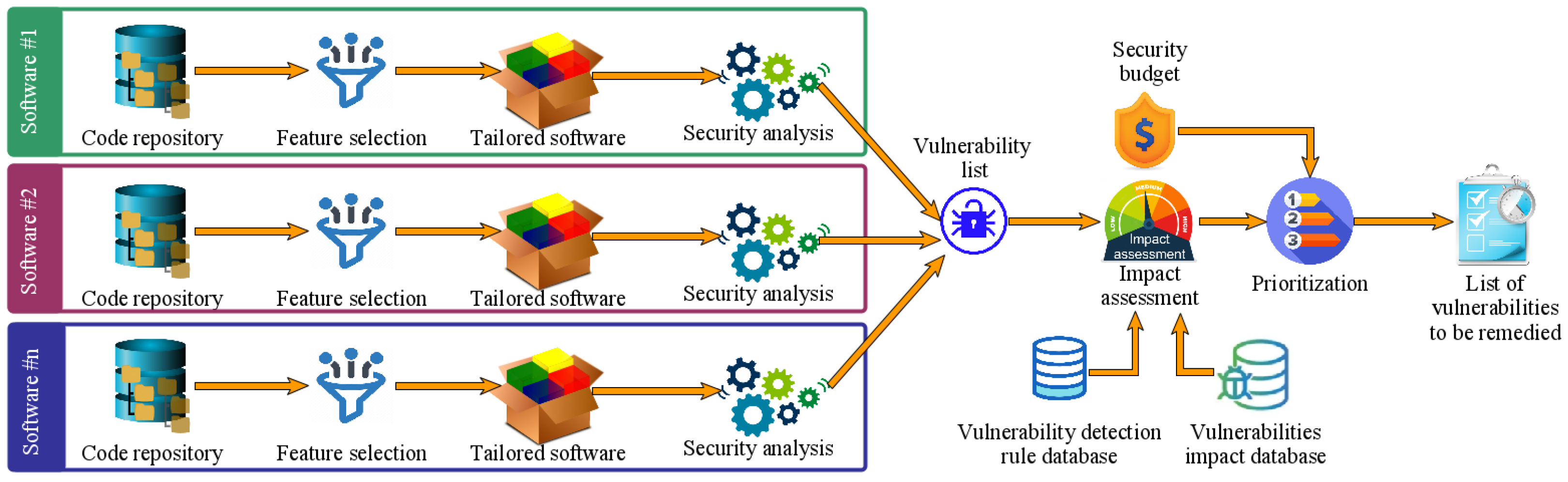
Most developers treat security testing as a separate specialist discipline. The most common vulnerabilities — SQL injection, cross-site scripting, insecure authentication — are testable with the same frameworks used for everything else.
Writing tests that attempt SQL injection on input fields, verify authentication tokens expire correctly, and confirm sensitive data does not appear in logs adds little overhead alongside normal testing. Finding these vulnerabilities through tests is considerably better than finding them through a breach.
Security tests worth including in regular suites:
- Input validation rejects malicious strings
- Authentication requires valid credentials
- Authorization blocks access to restricted resources
- Sensitive data does not appear in logs or error messages
- Session tokens expire and invalidate correctly
According to OWASP, the most common application security vulnerabilities are also among the most preventable — and systematic testing is one of the most effective prevention methods available. Check our AI regulation news article for more on how security compliance requirements are evolving across the technology industry.
Building Testing Culture On A Team
Individual testing habits matter. Team culture matters more.
A team where testing is expected, where untested code does not pass review, and where coverage is a shared responsibility produces better software than a team of individually excellent testers working without shared norms.
What builds testing culture in practice:
- Tests required as part of done — not optional extras
- Test quality included in code review
- Test maintenance treated as real development work
- Failures visible and urgent rather than ignorable
- New developers onboarded with testing expectations from day one
Software testing basics that get practiced individually but not enforced as team expectations erode over time under deadline pressure. The teams that maintain good practices are the ones where testing is a collective expectation rather than a personal virtue some people happen to have.
Frequently Asked Questions
How much time do software testing basics add to development?
Well-practiced testing adds roughly 20 to 30 percent to initial development time while reducing overall delivery time by catching bugs before they reach expensive debugging and production incident stages.
Which testing framework should a beginner learn first?
Start with the framework native to the language being used — Jest for JavaScript, pytest for Python, JUnit for Java. Learning software testing basics in a familiar language removes unnecessary cognitive overhead.
Is manual testing still relevant alongside automated testing?
Absolutely. Exploratory manual testing finds issues automated tests miss — usability problems, visual issues, unexpected user behavior. Automation handles regression and routine verification while manual testing handles exploration and discovery.
How do you add tests to a codebase that currently has none?
Start with the highest-risk code — payments, authentication, core business logic. Write tests that document current behavior before changing anything. Add tests to all new code immediately. Increase existing coverage gradually during normal maintenance work rather than attempting a big-bang testing sprint.

Conclusion
Software testing basics are not advanced knowledge reserved for senior developers or specialist QA teams. They are foundational skills that every developer writing code that other people depend on needs to understand and practice consistently.
The layers build on each other deliberately. Unit tests form the foundation — fast, isolated, numerous. Integration tests verify components connect correctly. End-to-end tests confirm complete workflows function as users expect. The testing pyramid shapes how those layers get balanced. TDD changes when tests get written. Mocking makes tests reliable under controlled conditions. Coverage metrics guide where effort goes. Regression testing protects existing functionality. Performance testing catches scale problems before users do. Security testing prevents the most common vulnerabilities.
None of these are optional for teams serious about software quality. They are the baseline that separates codebases that can be maintained and extended confidently from codebases where changing anything requires courage rather than just competence.
The developers who master software testing basics are not necessarily the ones who find testing intellectually interesting. They are the ones who have shipped enough broken code to understand what skipping it actually costs — in debugging time, in user trust, in production incidents, and in the specific professional embarrassment of explaining why something obvious was not caught before it went live.
That experience combined with the practical skills to write tests that catch real problems — rather than produce impressive coverage numbers that hide untested critical paths — is what separates developers who consistently ship reliable software from developers who consistently explain why this time was different.
It is usually not different. Software testing basics are how the pattern finally changes.