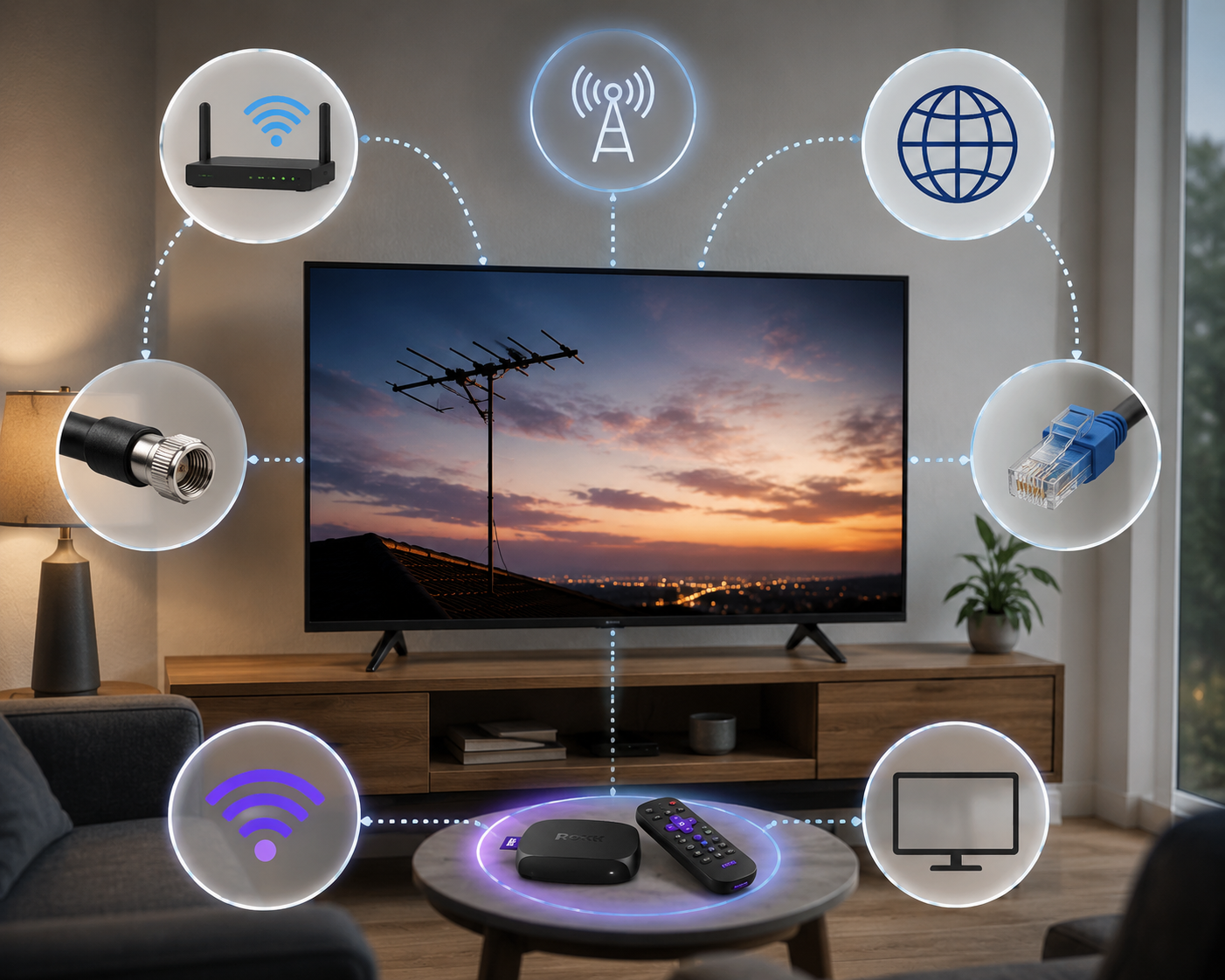
Learn the truth about Roku antenna internet requirement, avoid 5 dangerous mistakes, and get the best live TV setup without wasting money or time.
A lot of people buy a Roku device expecting to cut the cord completely — streaming apps, live TV, the whole package — and then hit a wall of confusion the moment they try connecting an antenna. The question that surfaces almost immediately is whether the Roku antenna internet requirement is real or whether you can watch over-the-air channels without any internet connection at all. It is a completely fair question, and the answer is more layered than a simple yes or no. Roku’s relationship with antennas, internet connectivity, and live TV is genuinely one of the most misunderstood topics in the streaming device space right now.
Over-the-air TV has been making a serious comeback. More than 16 million households in the United States use an antenna as their primary or only source of live television. Many of those households also own a Roku device, which is exactly where the confusion around the Roku antenna internet requirement begins. People assume the two work together seamlessly out of the box, and sometimes they do — but the specifics matter a lot depending on which Roku product you own and what you are trying to accomplish with your setup.
What Roku Antenna Actually Does
Not every Roku device supports an antenna connection directly. This is the first thing worth getting straight before buying any hardware at all. Only Roku devices with a built-in tuner — specifically certain Roku TV models manufactured by TCL, Hisense, Sharp, and similar brands running the Roku operating system — can accept an antenna input and tune over-the-air channels natively. Standard Roku streaming sticks and boxes like the Roku Express, Roku Streaming Stick, and Roku Ultra do not have coaxial inputs and cannot connect to an antenna directly under any circumstances.
Roku TVs are the most antenna-friendly option in the entire lineup. They have a coaxial port on the back for antenna connection, a built-in digital tuner, and the Roku interface handles channel scanning and live TV access through the same system you use for all your streaming. The Roku antenna internet requirement in this context is genuinely nuanced — the antenna channels themselves do not need internet to display a picture, but many Roku TV features that make the live TV experience actually useful do require an active connection. Knowing this before setup saves a significant amount of frustration later.
Mistake One: Skipping Initial Setup
The single most common and most avoidable mistake new Roku users make is trying to use their television straight out of the box without completing the proper internet-connected setup first. Here is the thing about the Roku antenna internet requirement that surprises almost everyone: even if your long-term plan is to use your Roku TV purely as an antenna television with zero streaming, you still need internet access during the initial activation process. Roku requires a connection to activate any new device, link it to a Roku account, and download current system software.
If you can check out broader technology news today you will notice that this activation requirement is standard practice across virtually all modern smart TV platforms — not just Roku. The workaround for users without home internet is straightforward: complete the initial setup at any location with available Wi-Fi, whether that is a friend’s house, a coffee shop, or a public library. Once the device is activated, antenna functionality works indefinitely without internet. The Roku antenna internet requirement for activation is a one-time hurdle rather than an ongoing dependency, but skipping it or trying to work around it causes setup failures that frustrate new users unnecessarily.
Mistake Two: Wrong Device Purchase
Buying the wrong Roku device for antenna use is a mistake that costs real money and wastes real time. Thousands of new users purchase a Roku Streaming Stick or Roku Express expecting to connect their antenna directly to it, only to discover after unboxing that there is no coaxial port anywhere on the device. Standard Roku streaming devices have no antenna input path whatsoever. They are internet-only devices that receive all their content through your Wi-Fi connection, and no adapter or workaround changes that fundamental hardware limitation.
The Roku antenna internet requirement conversation only becomes relevant with Roku TV models that include a built-in tuner. Before purchasing any Roku product with the intention of using an antenna, confirming that the specific model has a coaxial input is a non-negotiable step. Roku TVs from TCL and Hisense are widely available at major retailers and are clearly marked as having built-in tuners on their product pages and packaging. The price difference between a Roku TV and a standard Roku streaming stick is meaningful, but it reflects real additional hardware capability that the antenna use case genuinely requires.
Mistake Three: Ignoring Internet for Guide
Many new Roku TV owners connect their antenna, run a channel scan, start receiving over-the-air channels, and then feel disappointed when the program guide shows nothing useful — just channel numbers with no program titles, no descriptions, no show timings, and no logos. They assume the antenna setup is broken or incomplete. The actual explanation is simpler and more fixable: the program guide requires an internet connection to populate with real scheduling data, and without that connection it displays only the bare minimum channel information the tuner can detect on its own.
This is one of the most misunderstood aspects of the Roku antenna internet requirement. The antenna delivers the signal and the picture. The internet delivers the information layer that makes that signal actually useful to navigate. Without internet, you can watch whatever happens to be on a channel right now, but you cannot see what is coming up next, search for specific programs, set reminders, or use any of the guide features that distinguish a smart TV experience from a basic antenna television from 1995. Connecting your Roku TV to Wi-Fi immediately transforms the antenna experience from functional to genuinely convenient.
Mistake Four: Poor Antenna Positioning
Signal issues on antenna channels through a Roku TV produce specific and frustrating symptoms: pixelation during fast motion, audio that cuts in and out, channels that appear in the scan but refuse to tune reliably, and the deeply annoying no-signal message on channels you know should be receivable from your location. New users frequently assume these problems are related to the Roku antenna internet requirement or some software configuration issue. They are almost never software problems. They are antenna placement and signal strength problems that no amount of internet connectivity will fix.
The most effective antenna positions are high up — near the ceiling or on an upper floor — close to a window facing the direction of your nearest broadcast towers, and away from large metal objects like refrigerators, filing cabinets, or metal shelving that absorb and scatter signal. Free online tools let you enter your address and see exactly which direction your local broadcast towers are located, which takes the guesswork out of antenna orientation entirely. After repositioning, always run a fresh channel scan on the Roku TV rather than assuming the previous scan results still apply. Even moving an antenna two feet in the right direction can add several channels in borderline reception areas.
Mistake Five: Overlooking DVR Requirements
Over-the-air DVR functionality — recording antenna channels to watch later — is one of the most appealing features associated with modern Roku TV setups, and it is also one of the most misunderstood in terms of what it actually requires. New users frequently assume that because the antenna signal itself does not need internet, recording that signal also does not need internet. That assumption leads to a disappointing discovery when they try to set up DVR functionality and find it does not work the way they expected.
The Roku antenna internet requirement for DVR is real and non-negotiable. Third-party antenna DVR solutions that pair with Roku — including Tablo and AirTV, which are the most popular options — require active internet connections to deliver program guides, enable remote scheduling, manage storage, and stream recorded content to your Roku device. According to the FCC, over-the-air broadcasting is designed as a free public service, but the smart DVR layer built on top of it by third-party providers is a connected service that depends on cloud infrastructure. The physical recording can happen to local storage, but everything that makes DVR usable rather than just technically possible requires consistent internet connectivity.
How Antenna Signal Actually Works
Over-the-air television operates on radio frequencies broadcast from towers that can be anywhere from a few miles to over 70 miles from your home depending on your location and the power of the transmitter. Your antenna captures those radio waves and passes them through a coaxial cable to your Roku TV’s built-in tuner, which converts them into the audio and video signal displayed on your screen. The entire process from broadcast tower to television picture happens completely independently of the internet, your Wi-Fi router, and anything connected to your home network.
This independence is actually one of the strongest arguments for including an antenna in your Roku setup. When your internet goes down — which happens to everyone eventually — your streaming apps stop working entirely. Your antenna channels keep working perfectly because they have nothing to do with your internet connection in the first place. For live news, weather emergencies, sports on network television, and primetime programming on the major networks, an antenna delivers that content for free and with zero dependence on internet infrastructure that can fail. The Roku antenna internet requirement discussion changes completely when you recognize that the antenna side is genuinely self-contained.
Internet Speed for Roku Streaming
When the Roku antenna internet requirement comes up in the context of the streaming side of the device rather than the antenna side, internet speed becomes a relevant variable worth knowing about. Streaming HD video requires a minimum of 5 Mbps per stream under normal conditions, while 4K content from services like Netflix and Disney Plus needs 25 Mbps or more for consistent quality without buffering. These requirements apply exclusively to the streaming apps on your Roku TV and have no relationship to antenna channel performance.
For households using a Roku TV primarily for antenna television with streaming as a secondary activity, even a modest internet plan handles the device’s connectivity needs comfortably. The antenna does all the heavy lifting for live network programming — ABC, CBS, NBC, Fox, PBS, and their subchannels — without consuming any bandwidth at all. This is one of the genuinely practical benefits of the antenna plus Roku combination: your internet plan can be less expensive because your highest-volume viewing needs are satisfied by the broadcast signal rather than your data connection.
Free Channels Through Your Antenna
The channel lineup available through an antenna varies significantly by location, but most households within reasonable range of a major metropolitan area can expect to receive the four major broadcast networks alongside PBS, The CW, and a collection of subchannels that broadcast content around the clock on secondary frequencies alongside the main network signals. Subchannels like MeTV, Comet, Laff, Ion, and dozens of others carry classic television series, movies, local news, 24-hour weather, and specialty content at absolutely no cost.
The total number of free channels available through a well-positioned antenna in a metro market frequently reaches 40 to 60 distinct channels. When combined with the free streaming channels available through Roku’s own platform — The Roku Channel alone carries hundreds of free movies and television shows — the total free content available to a Roku TV owner with an antenna and basic internet service is genuinely substantial. The Roku antenna internet requirement in this combined setup is more feature than burden: internet unlocks free streaming content that complements the free broadcast content the antenna provides, creating a well-rounded entertainment setup with very low ongoing cost.
Comparing Roku TV to Streaming Sticks
The practical difference between a Roku TV and a Roku streaming stick matters enormously for anyone planning to use an antenna. A Roku TV is a complete television set running the Roku operating system, with a built-in tuner that accepts a coaxial antenna input directly. A Roku streaming stick is a small dongle that plugs into any television’s HDMI port and adds Roku’s streaming interface to that TV — but it adds no tuner capability of its own and creates no antenna input path.
If you already own a television with a built-in tuner and a coaxial input, you can use that television’s own antenna connection for over-the-air channels and use a Roku streaming stick for internet content, switching between inputs with your remote. The Roku antenna internet requirement in this setup applies only to the Roku stick’s streaming functions — the antenna channels run through the television’s own tuner and require no internet at all. This configuration is a cost-effective way to get both antenna and Roku functionality without buying a new Roku TV, provided your existing television has a working built-in tuner.
Setting Up Antenna Channels Correctly
Running the channel scan on a Roku TV is a straightforward process that takes about two to five minutes and requires no technical knowledge beyond finding the antenna settings in the Roku menu. Go to Settings, then TV inputs, then Antenna TV, and select Scan for channels. The tuner cycles through available frequencies and saves every channel it can receive at usable signal strength. The results depend entirely on your antenna quality, placement, and distance from broadcast towers — not on your internet connection or Roku account status.
Re-scanning periodically is worth doing even after your initial setup because broadcast channel lineups change over time. New subchannels get added in many markets, existing channels occasionally move to different frequencies, and seasonal changes in atmospheric conditions affect which distant channels are receivable on any given day. Running a fresh scan takes the same two to five minutes as the initial scan and keeps your channel list current without any cost or complication. The Roku antenna internet requirement does not apply to the scanning process itself — it runs entirely on the tuner hardware regardless of network connectivity.
Antenna Options for Roku TV Users
Choosing the right antenna for your Roku TV setup depends primarily on your distance from broadcast towers and whether an indoor or outdoor installation is practical for your living situation. Indoor antennas work reliably for most users within 35 to 40 miles of a major broadcast cluster, particularly on upper floors with windows facing the tower direction. They cost between $15 and $50 at most electronics retailers and require no installation beyond positioning and plugging in the coaxial cable.
Outdoor antennas extend reliable reception range to 60 or even 80 miles under favorable conditions and are the right choice for rural users or anyone in a location where indoor reception is consistently marginal. Installation requires running a coaxial cable from the roof or exterior wall to your television, which is a half-day project for most homeowners comfortable with basic tools. Amplified antennas add a powered signal booster to the coaxial cable path and can help in weak signal areas, though they can also amplify interference and cause problems in strong signal areas where amplification is unnecessary. Matching the antenna type to your actual distance from towers produces better results than simply buying the most expensive option available.
Rural Users and Antenna Challenges
Rural users face a distinct set of challenges around the Roku antenna internet requirement that differ meaningfully from suburban or urban situations. Over-the-air signal strength drops with distance from broadcast towers, and many rural locations sit 60 to 100 miles from the nearest major broadcast cluster. At those distances, even a high-gain outdoor antenna may reliably receive only a handful of channels rather than the 40 to 60 channels available in metro areas.
Internet access in rural areas is also frequently more limited and more expensive than in cities, which changes the economic calculation of the Roku setup considerably. For rural users with satellite internet or fixed wireless service, the Roku antenna internet requirement for features like the program guide is satisfiable but worth factoring into monthly cost planning. The combination of a good outdoor antenna for free local channels plus a modest internet plan for Roku streaming gives rural households a genuinely capable entertainment setup at a fraction of what cable or satellite television costs monthly. The antenna handles the live local content that internet-based services often price separately or exclude entirely.
Troubleshooting Common Antenna Problems
Troubleshooting antenna problems on a Roku TV requires separating signal issues from software issues clearly in your mind before you start. If your antenna channels are pixelating, dropping audio, or disappearing entirely, the problem is in the signal path — the antenna itself, the coaxial cable connecting it to the TV, or the physical environment between your antenna and the broadcast towers. None of these problems have anything to do with the Roku antenna internet requirement or your network connection.
Start troubleshooting by checking the coaxial cable for visible damage, kinks, or loose connections at both ends. A damaged cable degrades signal quality dramatically even when it looks mostly intact from the outside. Next, try repositioning the antenna — move it higher, closer to a window, and in the direction of your local towers. If specific channels pixelate during rain or wind but look fine otherwise, that indicates a marginal signal that is adequate in calm conditions but not robust enough to handle atmospheric interference, which typically means moving the antenna outdoors will solve the problem permanently.
Future of Antenna and Roku Together
The broadcast television industry is currently rolling out a new technical standard called ATSC 3.0, marketed to consumers as NextGen TV. This updated broadcast format delivers higher resolution video, improved audio quality, better signal robustness in challenging reception conditions, and — most significantly for this discussion — the ability to integrate internet and broadcast signals by design rather than as separate parallel systems. Some newer Roku TV models are beginning to include ATSC 3.0 compatible tuners as the standard rolls out across more markets.
Under ATSC 3.0, the Roku antenna internet requirement becomes more integrated rather than less. The new standard uses an internet connection alongside the broadcast signal to deliver interactive content, emergency alerts with richer information, and features that blend broadcast and streaming in ways the current technology cannot. For current Roku TV owners with standard ATSC 1.0 tuners, this transition is worth tracking as a future consideration but does not affect existing setups. The next generation of antenna television on Roku will make the relationship between antenna and internet genuinely complementary by technical design rather than just by user preference.
Frequently Asked Questions
Does the Roku antenna internet requirement affect basic channel viewing?
No. Watching over-the-air channels on a Roku TV with a connected antenna requires no internet connection whatsoever. The antenna signal is received and processed entirely by the television’s built-in tuner, which operates independently of Wi-Fi. Internet is only needed for enhanced features like the program guide, channel logos, and DVR scheduling functionality.
Can I use a Roku TV antenna without home internet service?
You need internet once during the initial device activation, which is a one-time requirement to link the Roku TV to a Roku account and download system software. After that single setup session, antenna functionality works indefinitely without internet. Completing the activation at any location with available Wi-Fi and then using the TV offline permanently afterward is a practical and workable solution.
Why does my Roku antenna program guide show no program information?
The program guide requires an active internet connection to retrieve scheduling data from online databases. Without internet, the guide displays only channel numbers and frequencies with no program titles, descriptions, episode information, or show timings. Connecting your Roku TV to any Wi-Fi network immediately resolves this and populates the guide with complete program information automatically.
What is the Roku antenna internet requirement for DVR recording?
DVR functionality for antenna channels requires a consistent internet connection. Third-party DVR solutions like Tablo and AirTV that work with Roku use internet connectivity for program guides, remote scheduling, and streaming recorded content to your device. The recording itself can happen to local storage, but the management and access features that make DVR genuinely useful all depend on active internet connectivity.
Conclusion
The Roku antenna internet requirement is more nuanced than most new users expect when they first start putting together a cord-cutting setup. The five dangerous mistakes covered in this guide — skipping initial setup, buying the wrong device, ignoring internet for the program guide, poor antenna positioning, and overlooking DVR requirements — all stem from the same root misunderstanding: the assumption that antenna and internet are either completely independent or completely dependent, when the reality sits somewhere in between.
Watching over-the-air channels on a Roku TV works without internet once initial activation is complete. That part is clean, simple, and genuinely useful for anyone who wants free live television without monthly fees. Where internet becomes necessary is in the features built on top of basic antenna viewing — the program guide, channel information, DVR scheduling, and the unified interface that makes Roku’s antenna integration actually pleasant to use daily.
The Roku antenna internet requirement for activation is the one firm non-negotiable that applies to every user. Beyond that, how much internet matters to your specific setup depends entirely on which features you want to use. For purely free broadcast television, an antenna and a one-time activation session are everything you need. For a full-featured smart TV experience that combines live antenna channels with streaming content and a useful program guide, a reliable internet connection transforms the Roku antenna setup from merely functional into genuinely excellent. Knowing the difference before you buy saves frustration, money, and time.